AI Coin Identifier: Value Scan
- 4.4
- Rating
- 100.00K
- Installs
- Free
- Price

 Analysis by App-foxy
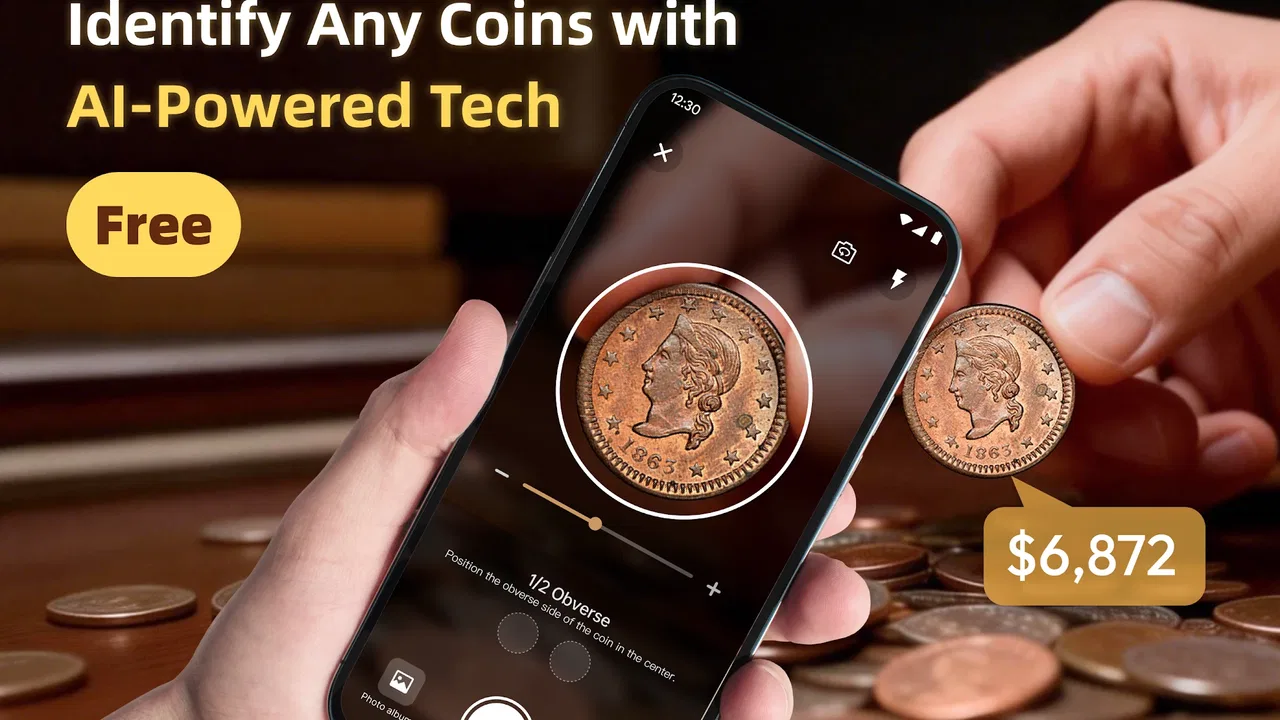
I approached AI Coin Identifier: Value Scan as a practical tool rather than a replacement for a specialist. Its purpose is straightforward: use a phone camera to help identify coins, offer value-related insight, and organize a personal collection. That combination makes sense for anyone who finds an unfamiliar coin in a drawer, inherits a small group of pieces, or wants a quicker way to sort a growing hobby collection.
My overall impression is positive, especially because the app is free and easy to understand. It belongs in the tools category, comes from Revoke, and has reached over 100K installs with a 4.4 average from around 500 ratings. Those figures suggest that it has found a useful place among casual collectors, although I would still treat its results as a starting point rather than a final appraisal.
What the camera-based experience is really good at
The most useful part of the concept is the reduction of friction. Normally, identifying a coin means searching through images, comparing dates, reading mint marks, and trying to describe a worn object in words. A camera-led workflow changes that first step. Instead of beginning with a broad web search, I can start by showing the coin and then use the result to decide what deserves closer research.
You May Also Like

 Blood Strike: 2.5 Anniversary
Blood Strike’s Loadouts Turn Every Drop Into a Tactical Gamble
A close look at Blood Strike’s custom loadouts: how fast access to signature weapons reshapes its battle royale rhythm, rewards preparation, and narrows the gap between fights.

 Pandora - Music & Podcasts
Pandora’s Music Is Easy to Start, but Harder to Recover
Pandora’s strength is its low-effort path from a seed to a station. Its weak spot is how much confidence it asks you to place in connection, setup, and quiet recovery.

 8 Ball Pool
 Is Built on Rivalries, Rematches, and Routine
A close look at the rivalries, rematches, shared routines, and unanswered safety questions that turn a quick pool match into a persistent mobile community.

 Samsung Music
’s Quiet Strength Is Playing What You Already Own
Its reach comes less from spectacle than from dependable access to a personal library. That simplicity is both the app’s strongest retention engine and its ceiling.

 AccuWeather: Weather Radar
AccuWeather Review: A Quick, Clear Forecast for Everyday Decisions
For everyday plans, the best forecast is the one you can understand quickly. AccuWeather makes rain timing, radar, and local conditions easy to act on, with a few trade-offs.

 Hill Climb Racing
Why Hill Climb Racing Still Turns Crashes Into One More Run
A tiny car, a bumpy hill and one more upgrade: Hill Climb Racing keeps resurfacing because its simple chaos makes every near-miss feel personal.
More From Our News Desk
View All News


That matters in ordinary situations. Imagine finding several mixed coins while clearing an old cabinet. I would separate them by side, place each one under reasonable light, and scan them one at a time. The app can help turn an anonymous pile into a more manageable group of possible matches. Even when the result needs checking, that first organization is valuable because it tells me which pieces deserve attention.
The value-insight angle is also useful when handled carefully. A suggested value can help me understand whether a coin is likely to be common, collectible, or worth investigating further. It should not be confused with a professional valuation, because condition, authenticity, rarity, demand, and regional market differences can change the real price dramatically. The app is better at answering “what might this be?” than “what should I sell it for?”
I found the collection idea particularly practical for people who do not want to maintain a spreadsheet. A digital record can provide a simple place to keep track of discoveries and reduce repeated scanning. The best workflow is to scan a coin, inspect the identification, save it only after checking the visible details, and add personal notes elsewhere if the app allows the kind of organization you need. That last step is important: automation is helpful, but a collection becomes more useful when the owner remembers where each item came from and what condition it was in.
Why lighting and presentation matter more than beginners expect
Coin recognition is naturally sensitive to what the camera can see. Reflections, shadows, fingerprints, scratches, and a busy background can make a genuine coin look unfamiliar. I would place the coin on a plain surface, keep the phone steady, and capture both sides whenever the workflow makes that possible. A second look at the reverse can be more informative than repeatedly photographing the same front angle.
This is one of the app’s less obvious trade-offs: the camera makes identification faster, but it also makes the quality of the input part of the result. A rushed scan in dim light may produce a confident-looking answer that deserves skepticism. For worn or partially obscured coins, I would compare the suggested identity with the date, lettering, portrait, symbols, and edge before saving it to a collection.
That habit protects against a common mistake among new collectors: treating recognition as authentication. An app can help classify an object, but it cannot by itself prove that a valuable-looking coin is genuine or accurately grade its condition. If a result points toward something expensive or historically important, I would use the identification as a research prompt and then consult a reputable reference or specialist.
How connectivity changes the experience on a phone
I find that connectivity shapes this phone-based workflow before the coin is even in view: a stable connection makes a quick scan feel convenient, while a weak signal can turn a simple check into a wait. It is worth deciding where to do the sorting and what details to preserve if a request stalls. That leads naturally to a closer look at how to handle an uncertain or interrupted scan.
Network-dependent moments can interrupt an otherwise simple task
The app’s central idea involves sending a visual question through a modern mobile workflow, so connectivity becomes part of the experience. When I have a reliable connection, the process feels suited to quick discoveries: open the tool, present the coin, review the result, and decide whether to keep investigating. When the connection is weak, the same task can become less predictable, with delays or a result that is difficult to obtain at the moment I need it.
This is most noticeable in places where coin discoveries actually happen: an attic, a basement, a flea market, a storage unit, or a rural property. Those environments are not always ideal for mobile data. I would not plan a large identification session around a location with uncertain reception. Instead, I would photograph coins carefully and use the app when the phone has a stable connection, assuming the current workflow requires network access for its recognition or insight features.
That distinction is important because the app should not be judged like a static reference book. A printed catalog works anywhere, while an AI-powered scanner is more convenient when it can process the image and return useful context. The trade-off is speed and simplicity in connected moments versus less independence when the network is unreliable.
Mobile use works best as a sorting tool, not a rushed appraisal desk
A phone is ideal for a small number of coins and immediate curiosity. I can use it while visiting family, helping someone sort an inherited box, or checking a handful of foreign pieces after a trip. The camera is already in my hand, and the app avoids making me type an uncertain description into a search engine.
For a large collection, however, I would create a deliberate routine rather than scan randomly. I would work in batches, keep similar coins together, clean only the storage area rather than polishing the coins, and record uncertain matches separately. Polishing is especially important to avoid: it can damage a coin’s surface and reduce its appeal to collectors. The app can support organization, but it cannot undo poor handling.
Another practical tip is to avoid scanning every coin repeatedly just because the result is interesting. Repeated attempts under nearly identical conditions rarely solve a recognition problem. A better recovery method is to change one variable at a time: improve the light, rotate the coin, show the other side, or remove glare. This makes the process more methodical and helps me understand whether the difficulty comes from the object or the capture.
What to do when a scan fails or looks uncertain
Failure does not automatically mean the coin is rare. It may simply be too worn, too reflective, too small in the frame, or photographed at an angle that hides key markings. If the first result seems wrong, I would not immediately save it to the collection. I would inspect the coin manually and try again with a clearer composition.
A sensible recovery sequence is simple:
- Move the coin into even, indirect light and remove distracting reflections.
- Frame the entire coin without cutting off the edge or lettering.
- Capture the opposite side and pay attention to the date, symbols, and denomination.
- Compare the returned identity with what is visibly printed on the coin.
- Keep uncertain pieces in a separate group until further research confirms them.
This workflow is more reliable than accepting the first answer as fact. It also prevents a messy collection record filled with guesses. If the app returns different possibilities for the same coin, that is a signal to slow down, not evidence that one of the answers must be valuable.
Connectivity failure deserves its own response. If the app cannot complete a request while I am outdoors or in a weak-signal building, I would preserve the coin’s identity manually with a photograph and a short note about its visible markings. Later, with a stronger connection, I could use those details to resume the investigation. This makes the phone useful even when the immediate scan is interrupted, without assuming that the app itself provides an offline mode.
Using the app without losing control of personal data
Any camera-based identification tool deserves a little data awareness. I would avoid photographing more than the coin and its immediate surface. There is no reason to include faces, documents, addresses, shipping labels, or other objects in the frame. A plain background is better for recognition and also keeps the image focused on the intended subject.
I would also use a controlled mobile connection when possible, particularly if I am scanning a large number of items. This is not only about privacy; it makes the experience more predictable and avoids relying on an unstable public network during an important identification session. If I were handling an inherited collection, I would keep a separate personal record of the item names and photographs rather than depending entirely on one app’s collection view.
The collection feature is convenient, but convenience should not become the same thing as archival security. For coins with family history or substantial potential value, I would retain my own photographs and notes. Include the date of discovery, the source of the coin, visible damage, and any questions that remain. That information can matter later when comparing results or speaking with a dealer, and it is more personal than an automated label.
There is also a privacy-minded reason to scan selectively. If I only need a broad identification, I do not need to photograph every side repeatedly or build an unnecessarily detailed digital record. A focused image, a cautious interpretation, and a separate note for uncertainty are enough for many casual uses. This approach keeps the app helpful without making it the sole keeper of my collection history.
Where it compares well with familiar alternatives
The usual alternatives each solve a different part of the problem. A search engine is flexible, but it depends on knowing what terms to enter. A coin catalog can be authoritative and detailed, yet it may feel slow when I do not even know the country or denomination. A collector forum can provide human judgment, although responses take time and depend on the quality of the photographs and descriptions. A professional appraiser remains the better choice for authentication, grading, and serious sale decisions.
AI Coin Identifier: Value Scan sits between those options. It is faster than beginning with a blank search box and more approachable than studying a specialist catalog from the first minute. Its strongest role is triage: identify likely candidates, sort a mixed group, and decide which coins deserve deeper research. Its weaker role is final verification, especially for worn, altered, counterfeit, or unusually rare pieces.
That makes the choice fairly clear for me. I would recommend it to a beginner, a casual collector, a family member sorting inherited coins, or anyone who wants a quick way to turn visual confusion into a research direction. I would skip relying on it alone if I were preparing a high-value sale, documenting a museum-quality collection, or needing a formal expert opinion. In those cases, a specialist reference and human inspection are worth the extra effort.
Version, access, and who should try it
The app is free, carries an Everyone age rating, and runs on Android starting with version 7.0. Its current version is 1.3.3, which makes it accessible to people using older compatible phones as well as newer devices. I would still keep expectations realistic on an older handset: camera quality, focus speed, and general responsiveness can influence how comfortable the scanning process feels, even when the operating system is supported.
Because it is free, the barrier to testing the workflow is low. I can try it with common coins before deciding whether it deserves a permanent place in my collecting routine. That is a better approach than assuming every result will be equally useful. Start with coins whose markings are clear, learn how the app responds, and then move to worn or unusual examples once you understand its limits.
The app is not aimed only at experienced numismatists, but experienced collectors may still find value in the first-pass sorting function. The difference is how the result is used. A beginner may use it to learn vocabulary and recognize patterns; an expert may use it to reduce the time spent on obvious examples. Neither should confuse a fast classification with a complete assessment.
My final view is that the tool is most convincing when the phone has a stable connection, the coin is photographed clearly, and the user treats the result as guidance. The network-dependent design can be inconvenient in remote or crowded places, and uncertain scans require patience. Still, the combination of camera identification, value-oriented context, and collection organization gives it a practical purpose beyond a simple search shortcut.
My recommendation is to use it as a first filter, not the final authority. For everyday discoveries and early-stage collecting, that is a useful balance: faster than manual searching, less intimidating than a specialist catalog, and honest enough to be valuable when paired with careful checking. If you want a free mobile starting point for identifying coins and organizing what you find, AI Coin Identifier: Value Scan is worth trying, provided you keep the connection requirement and the limits of automated valuation in mind.
FAQs for AI Coin Identifier: Value Scan
01What is AI Coin Identifier: Value Scan and how does it work?
AI Coin Identifier: Value Scan is a mobile application designed to help users identify and evaluate coins using advanced AI technology. By simply scanning a coin with your device’s camera, the app provides detailed information, including the coin's origin, history, and estimated value. This makes it an invaluable tool for collectors and enthusiasts alike.
02Is the app available for both Android and iOS devices?
Yes, AI Coin Identifier: Value Scan is available for download on both Android and iOS platforms. Users can find the app on the Google Play Store for Android devices and the Apple App Store for iOS devices. Make sure your device meets the app’s requirements for optimal performance.
03Does AI Coin Identifier: Value Scan require an internet connection to function?
While the app can perform basic functions offline, an internet connection is required for accessing the full database and ensuring accurate coin identification. The app uses online resources to provide up-to-date information about each coin, so a stable internet connection is recommended for the best experience.
04Is AI Coin Identifier: Value Scan free to use, or are there any in-app purchases?
AI Coin Identifier: Value Scan offers a free version with basic features. However, to access premium options such as detailed coin history, advanced valuation tools, and ad-free browsing, users can opt for in-app purchases or a subscription service. Pricing and options may vary based on the platform and region.
05How accurate is the coin identification and valuation feature?
The accuracy of AI Coin Identifier: Value Scan is highly reliable due to its use of sophisticated AI algorithms and a comprehensive coin database. However, the precision of identification and valuation can depend on the quality of the coin's image and the app’s current database updates. Regular updates and user feedback help maintain and improve accuracy.
Pros
- Accurate coin recognition using advanced AI.
- Supports a wide range of global currencies.
- User-friendly interface with intuitive design.
- Provides detailed information on coin values.
- Regular updates improve recognition database.
Cons
- Limited offline functionality available.
- May require in-app purchases for premium features.
- Occasional misidentification with worn coins.
- Requires a stable internet connection for accuracy.
- Some ads may interrupt the scanning process.

AI Coin Identifier: Value Scan
Gallery